
Reference
The SECND AI Assistant
Ask the assistant anything about your shop. It can look things up, summarize sales, and propose edits you can approve.
Last updated 2026-05-24
TL;DR
Where to find it
Open the Assistant panel
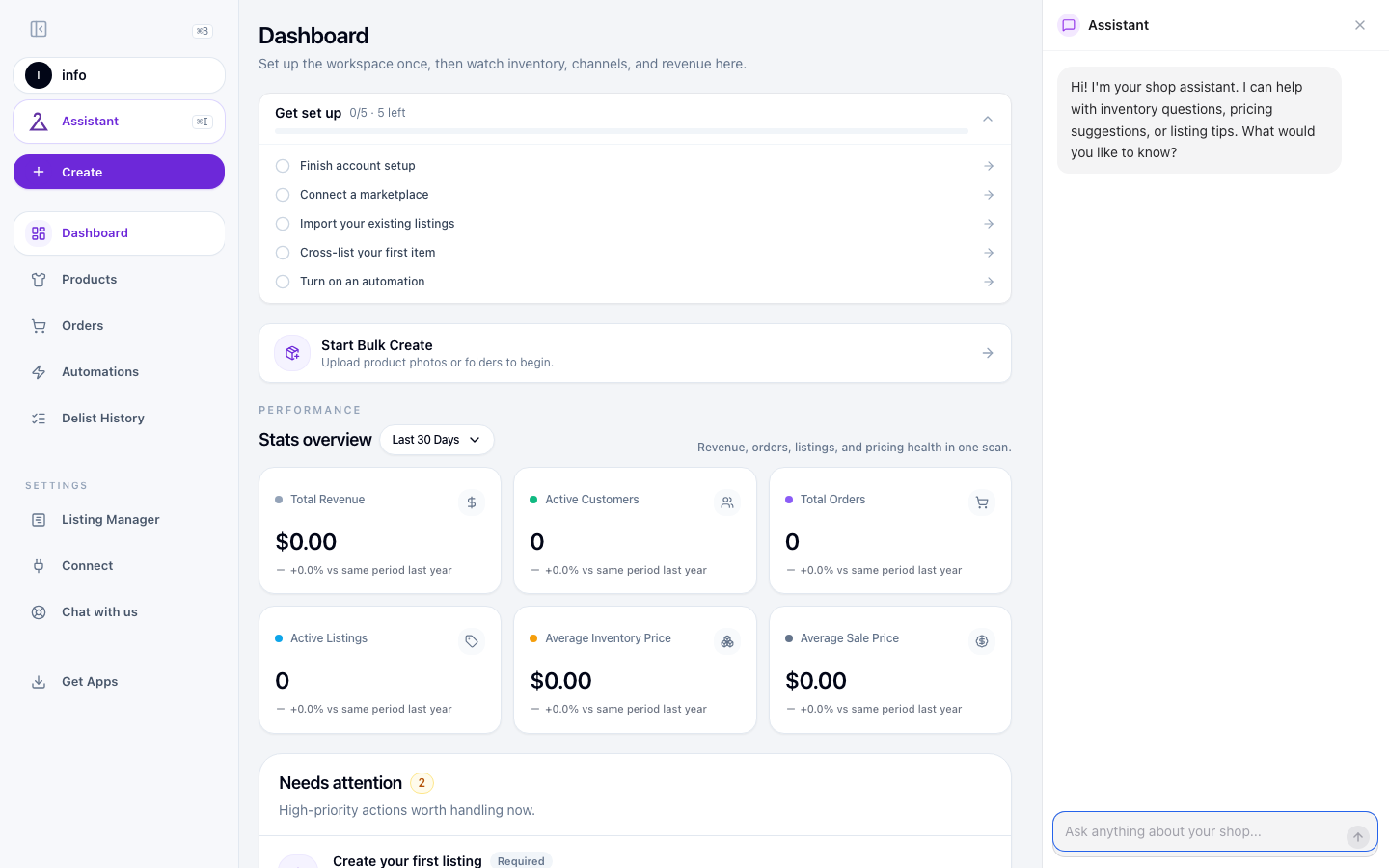
What the assistant can do today
The assistant reads your SECND workspace so it can answer questions with real numbers from your shop. It does not change anything without asking you to confirm first.
Things to ask
- “How many items are in stock?”
- “What did I sell this week?”
- “Show me listings that are failing on eBay.”
- “What was my best-selling item last month?”
- “How do I connect Shopify?” (it looks up the right help doc)
- “Where is Settings?” / “How long does sync take?”
Actions you can approve
Beyond answering questions, the assistant can propose edits to your listings — like updating a title, price, description, or tag. It always shows the proposed change first; nothing applies until you approve it.
Note
Credits
Assistant conversations consume credits from your monthly allowance. Check your current balance and what your plan includes on the Profile → Subscription & Credits page.
If you run out of credits, the assistant pauses until your next reset (or until you top up). Cross-listing, auto-delist, and imports are unaffected.
Common questions
Related guides
Quick Start: Your First 15 Minutes
Sign up, work through the Get Set Up checklist, connect a marketplace, import, cross-list, automate.
Building Your First Workflow
Use the graph workflow builder to import, enhance, and list products automatically.
Common Issues and Fixes
Quick fixes for the seven most common SECND issues.
Where to Find Settings in SECND
Open Listing Manager and Connect from the sidebar Settings group — templates, store details, and marketplace accounts.
Have a question that isn't answered here? Contact the SECND team.